
Alerts and notifications
Send price alerts to Lark
BlackAha posts alerts into a Lark (or Feishu) group through a custom bot. No app review is needed: you add the bot to the group and copy its webhook address into BlackAha.
Before you start
- A Lark or Feishu group that should receive the alerts, where you are allowed to add bots.
- BlackAha open at SettingsNotification. If Lark shows Not in plan, check the pricing page for the plans that include it.
Part 1: Add a custom bot to your group
Open the group settings
In Lark, open the group, then Settings, Bots, Add Bot, and choose Custom Bot.
Name the bot
Give the bot a name, for example “BlackAha alerts”, and add it.
Copy the webhook address
Lark shows a Webhook URL starting with https://open.larksuite.com/open-apis/bot/v2/hook/ (or open.feishu.cn for Feishu). Copy it and keep it private: anyone who has it can post into your group.
Tip In the bot’s security settings, you may switch on Signature verification and copy its secret. BlackAha supports it. Do not turn on the keyword option: BlackAha messages do not contain a fixed keyword, so Lark would block them.
Part 2: Connect Lark in BlackAha
Open the Lark window
In SettingsNotification, press Configure on the Lark line.
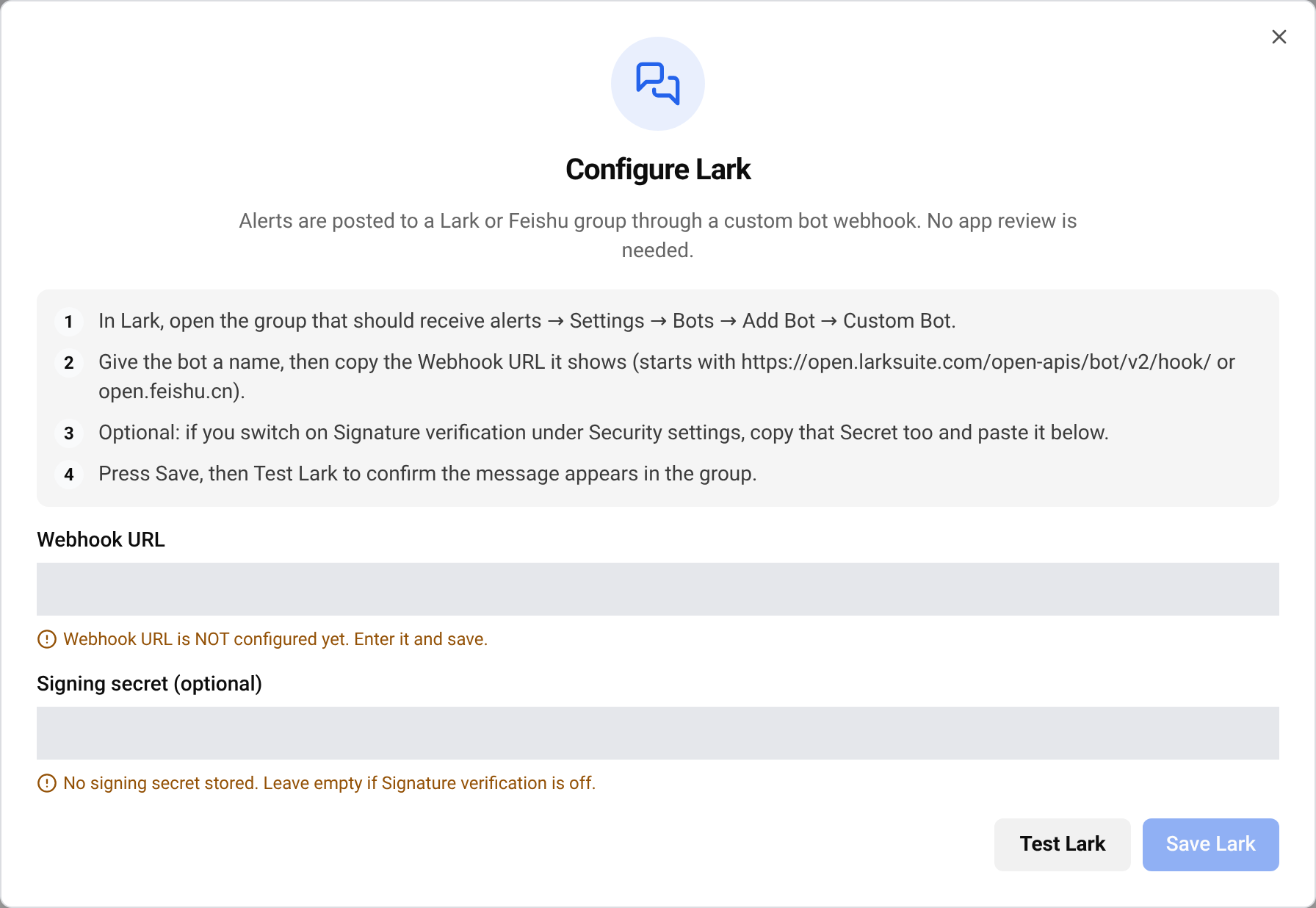
Paste the details
Paste the address into Webhook URL. If you switched on Signature verification, paste its secret into Signing secret (optional). Otherwise leave it empty. Press Save Lark.
Send a test
Press Test Lark. A test message should appear in the group within a few seconds.
Turn Lark on
Close the window and turn on the Lark switch on each card where you want Lark alerts.
Important BlackAha never shows the saved webhook address or secret again. To replace one, click the field and type the new value.
If the test message does not arrive
- Check that you copied the whole webhook address, and that it starts with one of the two addresses above.
- If you use Signature verification, copy the secret again. A wrong secret, or a secret saved while verification is off, makes Lark refuse the message.
- Check the bot’s security settings: keyword and IP limits can block messages.
- If the bot was removed from the group, add a new one and paste its new address.
- If the line shows Needs attention, Lark rejected the saved details. Paste them again and send a test.
Questions
Does this work with Feishu?
Yes. Feishu webhook addresses (open.feishu.cn) work the same way.
Can I send to several groups?
Each workspace sends to one Lark group. Everyone in that group sees the alerts.
Related guides
Still stuck?
Open Support in the app and our team will reply there. You can also email our support team; the address is at the bottom of every page.
 English
 ไทย
 Tiếng Việt
 한국어
 日本語
 简体中文
 Français
 Deutsch
 Русский
 Italiano
 Polski
 Español