
Products and competitor links
Fix broken and redirected links
Stores change their websites all the time. A product page can disappear, stop loading or move to a new address. BlackAha notices this and collects those links in the URL Dashboard, so you can fix them in one place.
Before you start
- Products with links. See Add a product by hand.
Broken links
Go to URL DashboardBroken URLs. There are two kinds:
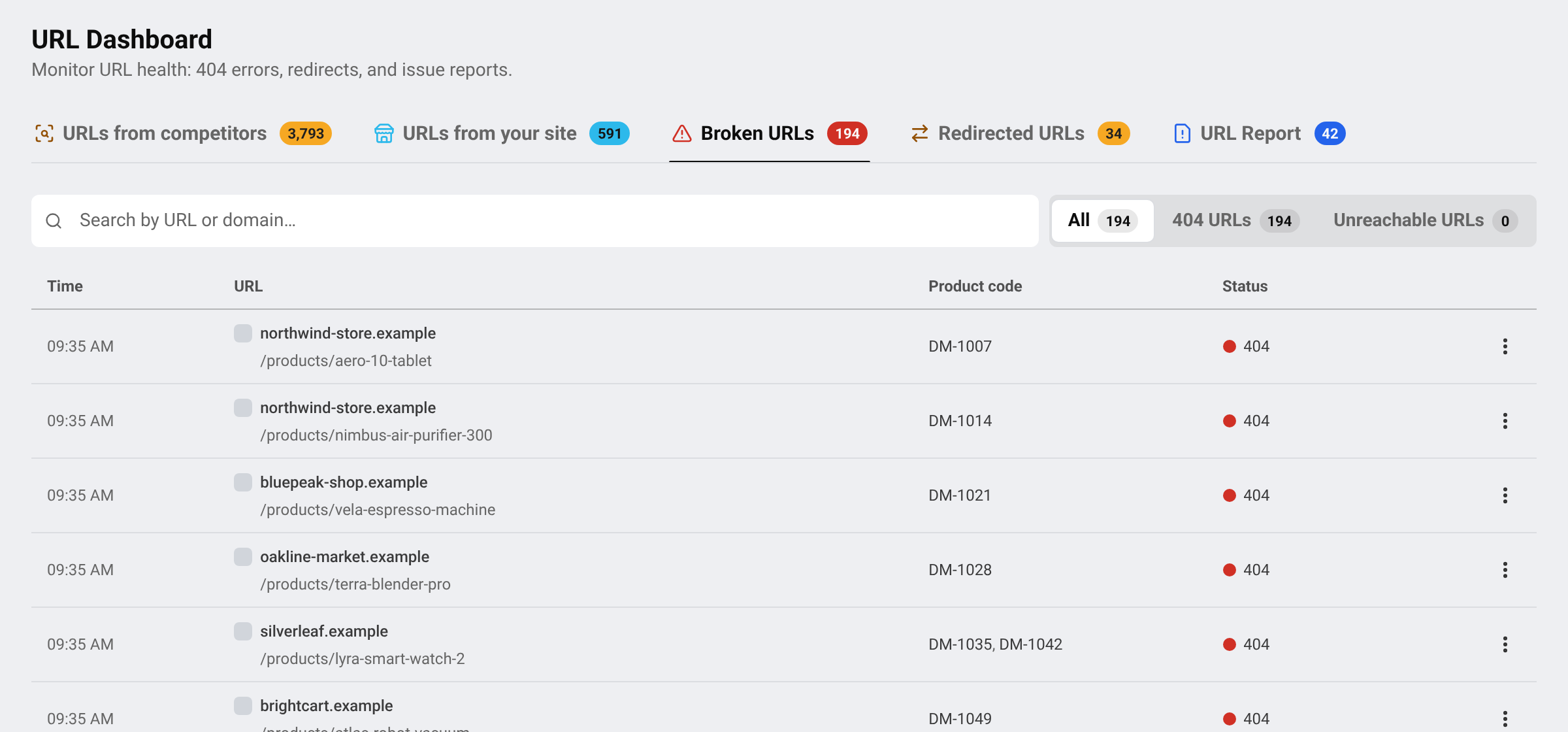
- 404 URLs: the store says the page does not exist anymore. The product was usually removed or renamed.
- Unreachable URLs: the page did not load at all. This is often temporary, for example when the store is down or blocking visits for a while.
Check the page
Open the link. If the product is still for sale under a new address, copy that address.
Replace the link
Add the new address to the product, then remove the broken one. See Add, pause and remove competitor links.
Or delete it
If the store no longer sells the product, open the row’s menu and choose Delete URL. The link is removed from every product that uses it.
Tip For an unreachable page, wait a day before acting. Many come back by themselves.
Redirected links
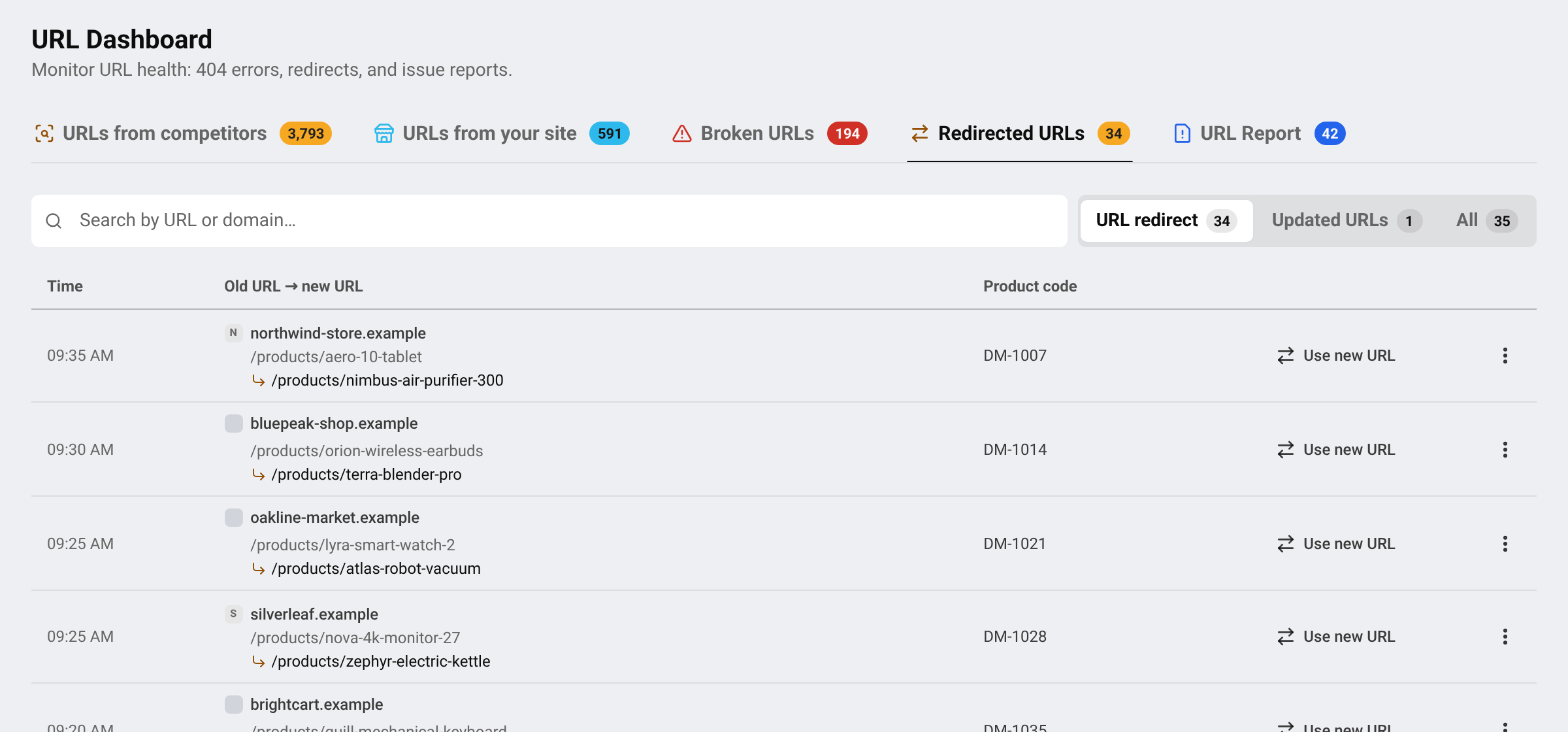
Go to URL DashboardRedirected URLs. Each row shows the old address and, under it, the address the store now sends visitors to.
Compare
Make sure the new address is still the same product. Stores sometimes send old pages to a category or the home page.
Switch
Press Use new URL. BlackAha follows the new address from now on, and the price history continues without a gap.
Switched links move to Updated URLs. If a row says the new address could not be loaded, treat it like a broken link.
Important If the new address belongs to a different store, BlackAha warns you before switching. You would then be tracking that other store’s page.
What deleting a link does
Delete this URL from your workspace? It stops being crawled, disappears from your reports and statistics, and frees the URL slot on your plan. Adding it back later counts as a new URL.
Questions
Do I have to fix every broken link?
No, but a broken link gives no price. Fix or delete it to keep your reports accurate.
The price is wrong but the page works. Where do I report it?
See Report a wrong price.
Related guides
Still stuck?
Open Support in the app and our team will reply there. You can also email our support team; the address is at the bottom of every page.
 English
 ไทย
 Tiếng Việt
 한국어
 日本語
 简体中文
 Français
 Deutsch
 Русский
 Italiano
 Polski
 Español