
Dashboard and reports
Domain strength and ads status
Not every competitor matters as much. A big, well-known store sets the market price. A tiny new shop may not. BlackAha gives each store a strength rating, so you can tell them apart at a glance.
The five levels
Strength is a score out of 100. It describes the store as a seller, not its prices. The score falls into one of five levels:
- Very weak: New business domain, or almost no meaningful sales activity.
- Weak: Selling, but limited in scale and presence.
- Average: Runs steadily — around the norm for its category.
- Strong: Solid foundation, clear presence and reputation.
- Very strong: A leading ecommerce brand in its category.
A store marked New business domain or Not scored yet has no score yet. We have not seen this business domain before. We are collecting its data — the score usually lands within a few hours.
Where you see it
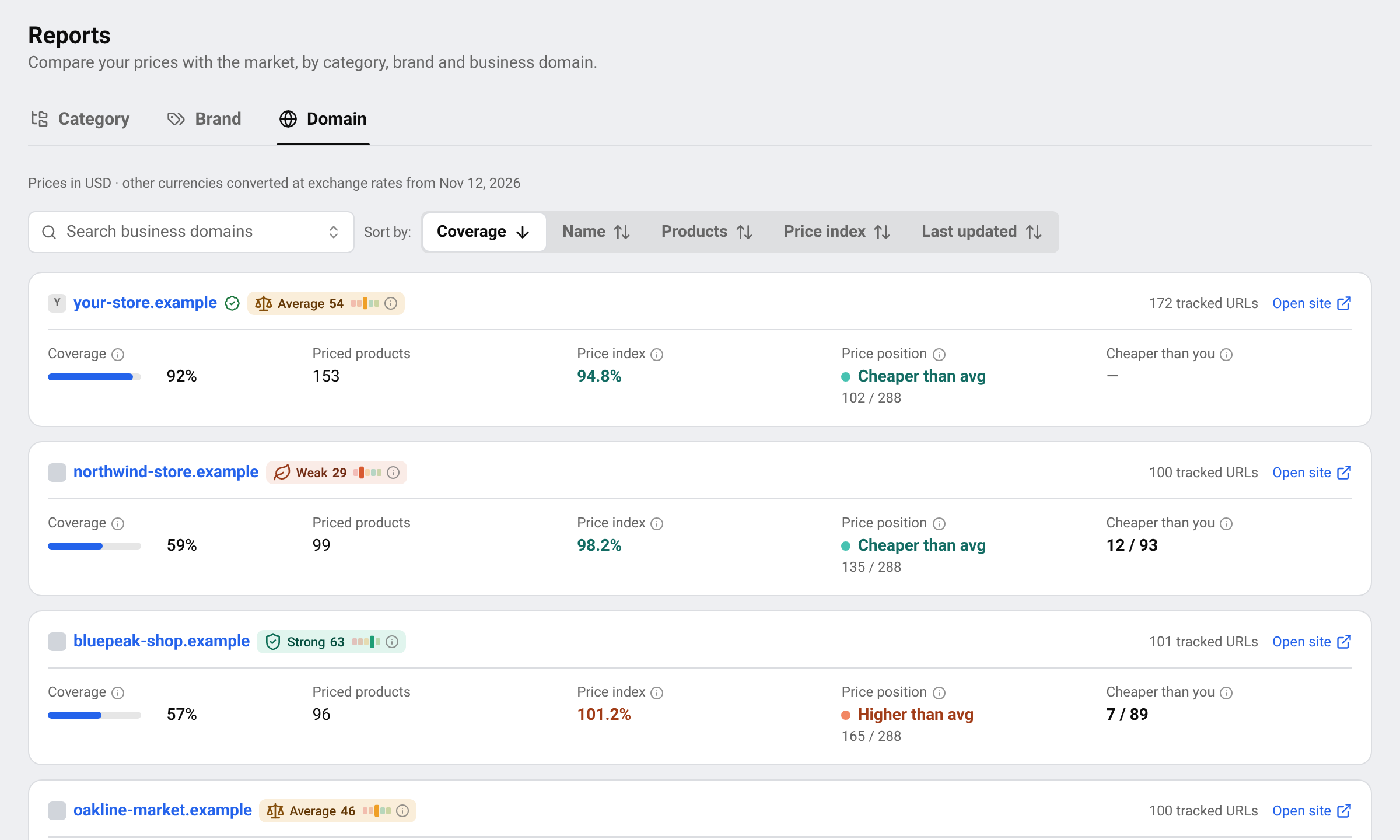
- As a badge next to a store’s name: on product links, in the competitor report, in the category and brand reports and in the list of discovered pages.
- On the Dashboard, the card Business domain strength vs your tracking set shows how your own store compares with the stores you track.
Read the strength card
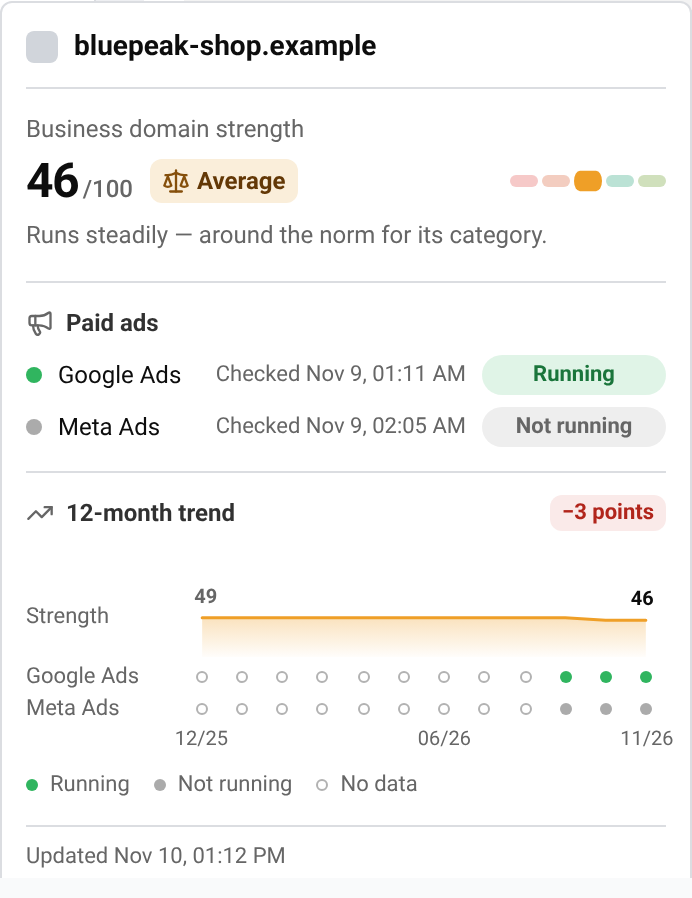
Hover over a store’s name or strength badge to open its strength card. You can do this on the Products page, on a product page, in the competitor report and in the list of discovered pages.
Business domain strength
The score out of 100 and its level, for example Average. The small bar on the right shows where that level sits among the five. The sentence below explains what the level means.
Paid ads
One row for Google Ads and one for Meta Ads. Each row shows when BlackAha last checked and the result: Running or Not running. Checking means the first check has not finished yet; it usually takes a few hours.
12-month trend
The line (Strength) shows the score month by month, with the first and latest values. The badge at the top right shows the latest change in points. Below the line, one dot per month shows whether the store ran ads on each platform: filled green for running, filled grey for not running, and an empty circle when there is no data for that month.
Last update
The line at the bottom shows when the score was last calculated.
The score is measured in the country of your store and uses data from before and after you added the competitor. The card shows the last 12 months; BlackAha keeps the full history.
Paid ads status
Under Paid ads, BlackAha shows whether the store is currently advertising on Google Ads and Meta Ads: Running or Not running. We are still checking this site’s ad activity — the result usually lands within a few hours.
A store that runs ads is actively buying customers. Its prices are more likely to be the ones your shoppers see first.
The 12-month trend
The trend shows the store’s strength and ad activity month by month. A rising line means the store is growing. Collecting history — this fills in month by month.
How to use it when pricing
- Give more weight to strong stores. If the strongest stores are cheaper than you, shoppers will notice.
- Do not chase every weak store. A very low price from a small shop may be a clearance or a mistake.
- When you add pages from discovery, start with the stronger stores. See Find new competitor pages automatically.
Tip Some details, such as the exact score, the ads status or the trend, depend on your plan. If you see a lock, compare plans on the pricing page.
Questions
Does strength depend on prices?
No. Strength rates the store as a seller. Prices are compared separately with the price index.
Can I change a store’s score?
No. The score comes from the data platform and is updated over time.
Why does my own store have a low score?
New or small stores start lower. The score grows as your store’s sales activity and presence grow.
Why are some months empty in the trend?
An empty circle means there is no data for that month, often because the store was added recently. The trend fills in month by month.
Related guides
Still stuck?
Open Support in the app and our team will reply there. You can also email our support team; the address is at the bottom of every page.
 English
 ไทย
 Tiếng Việt
 한국어
 日本語
 简体中文
 Français
 Deutsch
 Русский
 Italiano
 Polski
 Español