
AI Agent (MCP)
Connect an AI assistant (MCP)
With AI Agent (MCP) you can ask Claude, ChatGPT or another AI assistant about your products, competitor prices and reports, right in the chat. You connect it once with a personal address, then choose on BlackAha what it may do.
Prima di iniziare
- An AI assistant that can add a custom connector (remote MCP server). Some assistants offer this only on certain plans — the note under each assistant in BlackAha tells you.
- BlackAha aperto in SettingsAI Agent (MCP). If you see Your plan does not include AI Agent (MCP), consulta la pagina prezzi per i piani che lo includono.
Open the AI Agent (MCP) tab
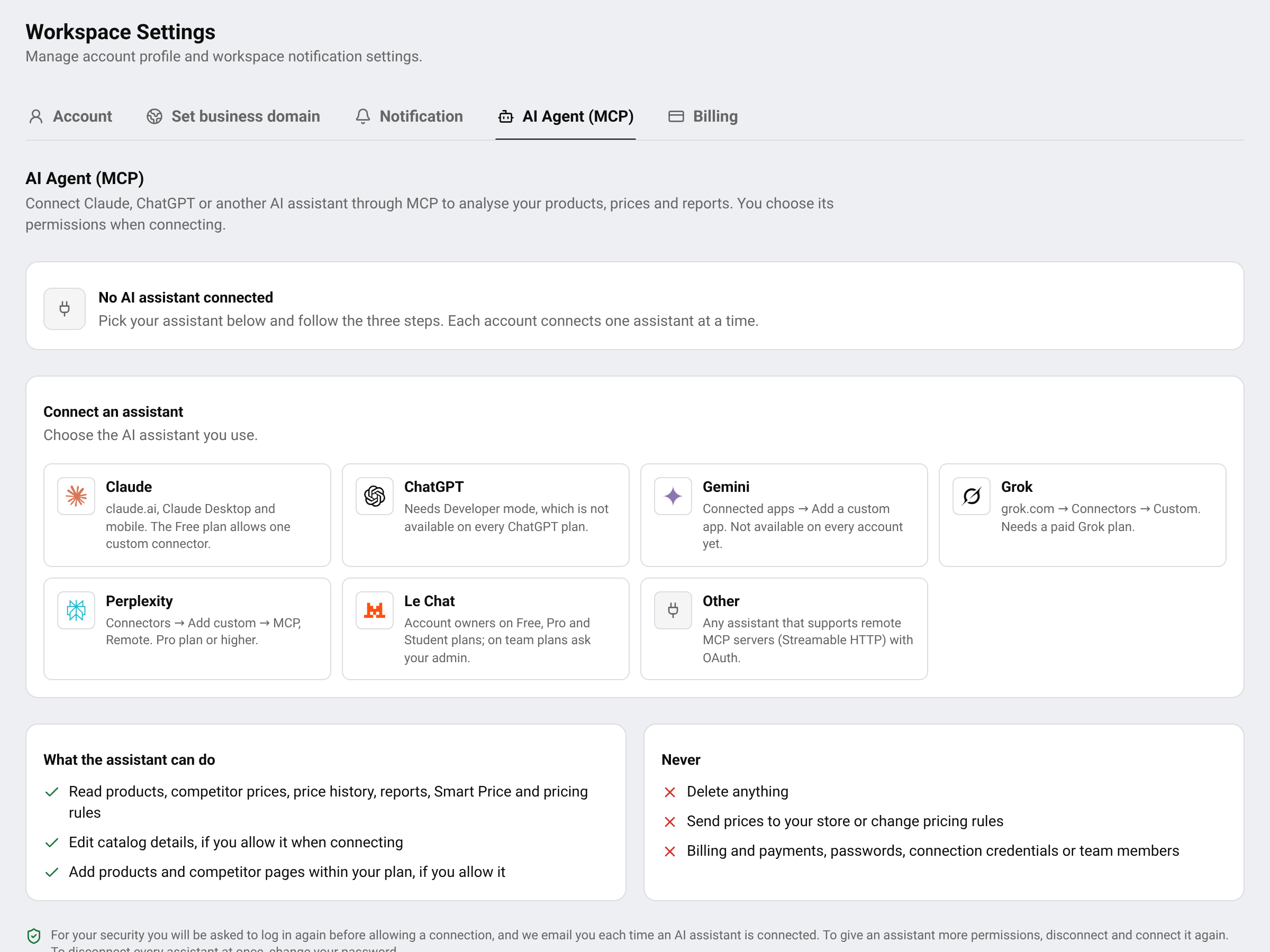
The tab shows whether an assistant is connected, the assistants you can choose from, and what an assistant can and can never do in your workspace.
Connect your assistant
Choose your assistant
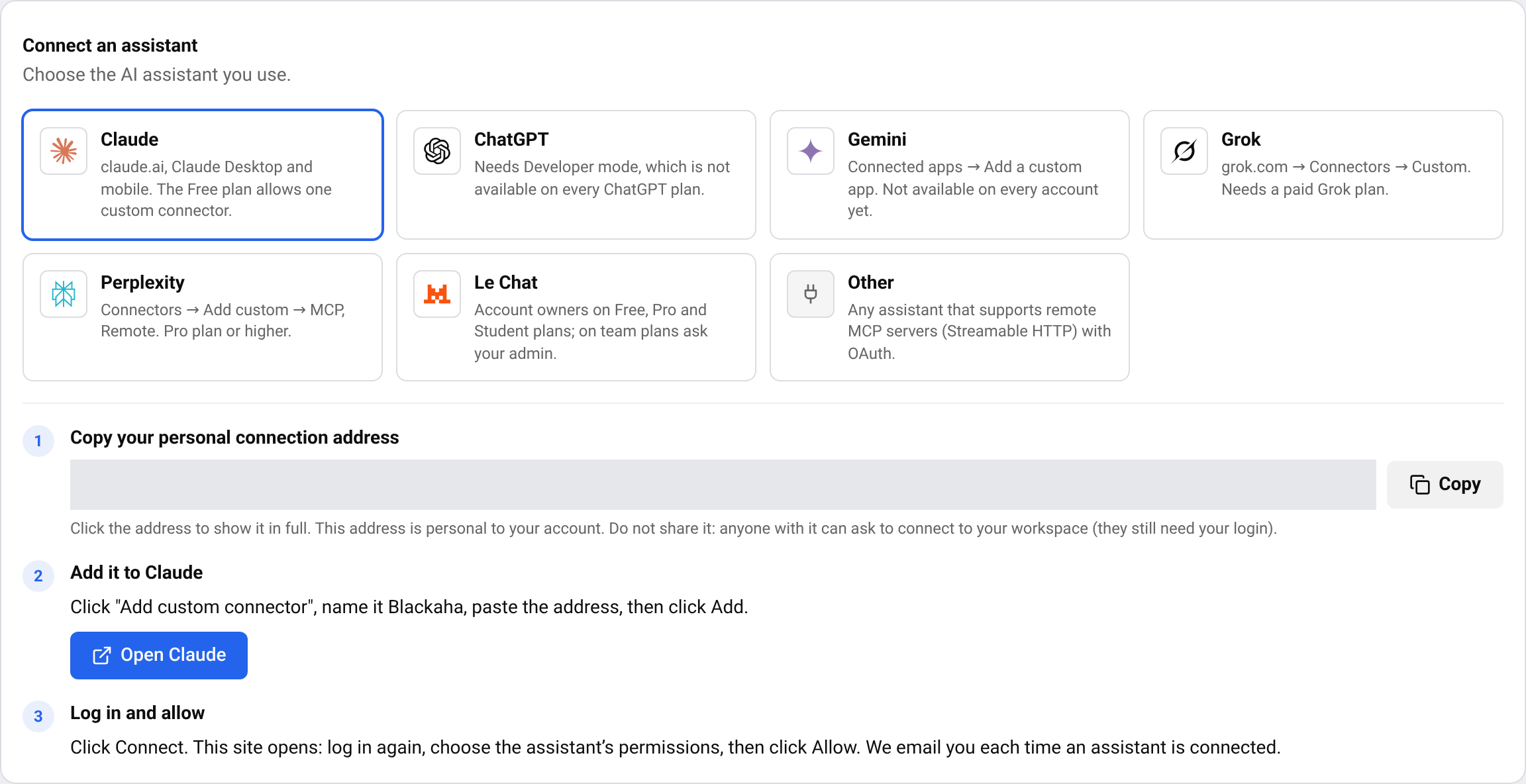
In Connect an assistant, click Claude, ChatGPT, Gemini, Grok, Perplexity, Le Chat or Other. The three steps for that assistant appear below.
Copy your personal address
In Copy your personal connection address, premi Copy. The address is personal to your account: do not share it.
Aggiungilo al tuo assistente
Press the button that opens your assistant and add a custom connector named Blackaha (no space) with the address you copied. The exact menu is written in step 2 on the screen — for example, in Claude: click “Add custom connector”, name it Blackaha, paste the address, then click Add.
Accedi e consenti
In your assistant, click Connect. BlackAha opens: log in again, choose the permissions and how long access lasts, then press Allow access. We email you a notice each time an assistant is connected.
Consiglio ChatGPT needs Developer mode, which is not available on every ChatGPT plan. Gemini custom apps are not available on every account yet.
Choose what the assistant may do
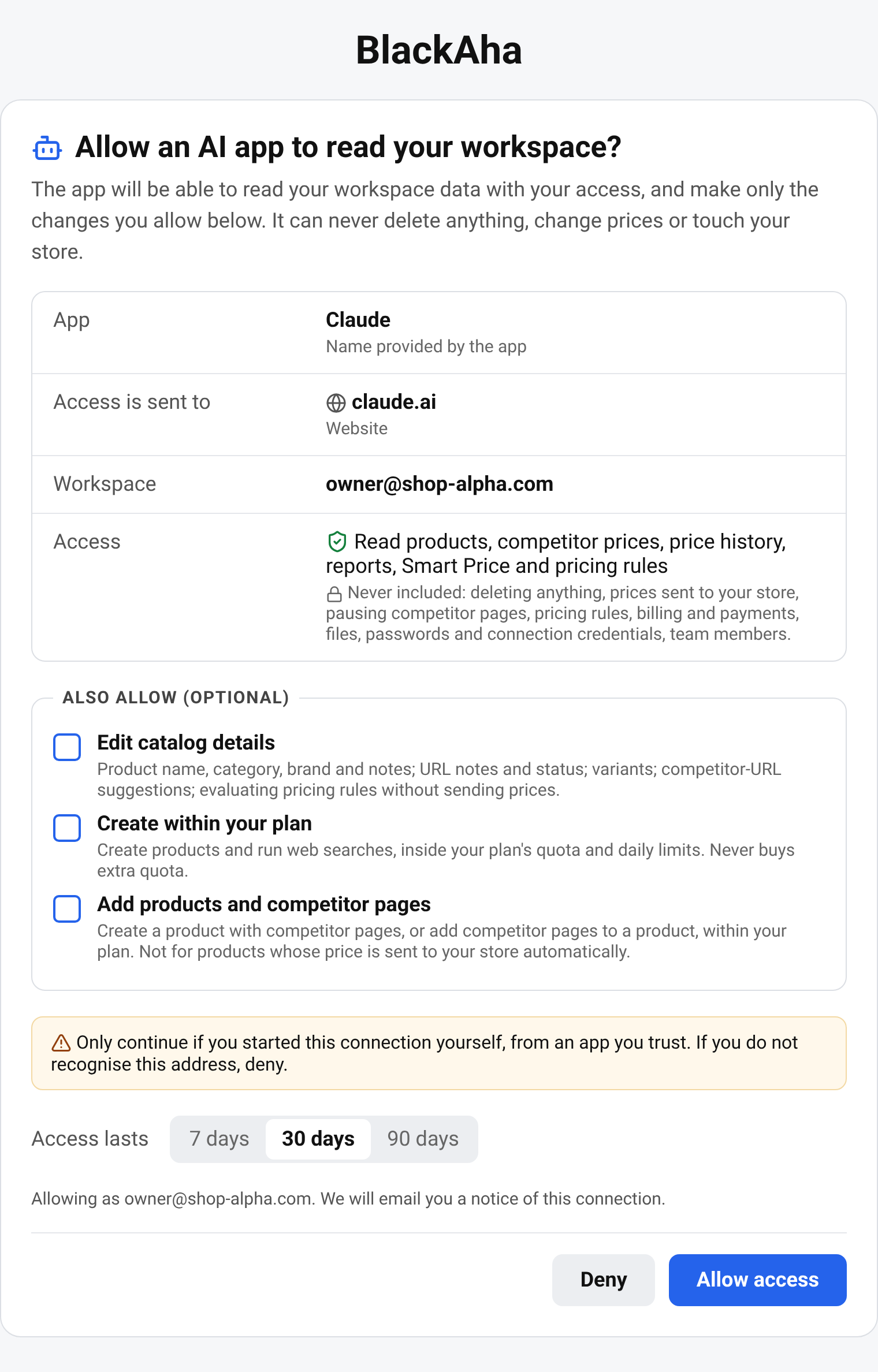
Reading is always included: Read products, competitor prices, price history, reports, Smart Price and pricing rules. Under Also allow (optional) you can also tick:
- Edit catalog details — product names, categories, brands and notes, variants and competitor suggestions.
- Create within your plan — new products and web searches, within your plan’s limits.
- Add products and competitor pages — start tracking competitor pages, within your plan’s limits.
An assistant can never delete anything, send prices to your store, change pricing rules, or touch billing, passwords or team members. Changes it makes are recorded in your workspace’s audit log.
Consiglio To give an assistant more or fewer permissions, disconnect it and connect it again.
How long access lasts
When you allow the connection you choose Access lasts: 7, 30 or 90 days. Each account connects one assistant at a time — connecting a new one disconnects the current one.
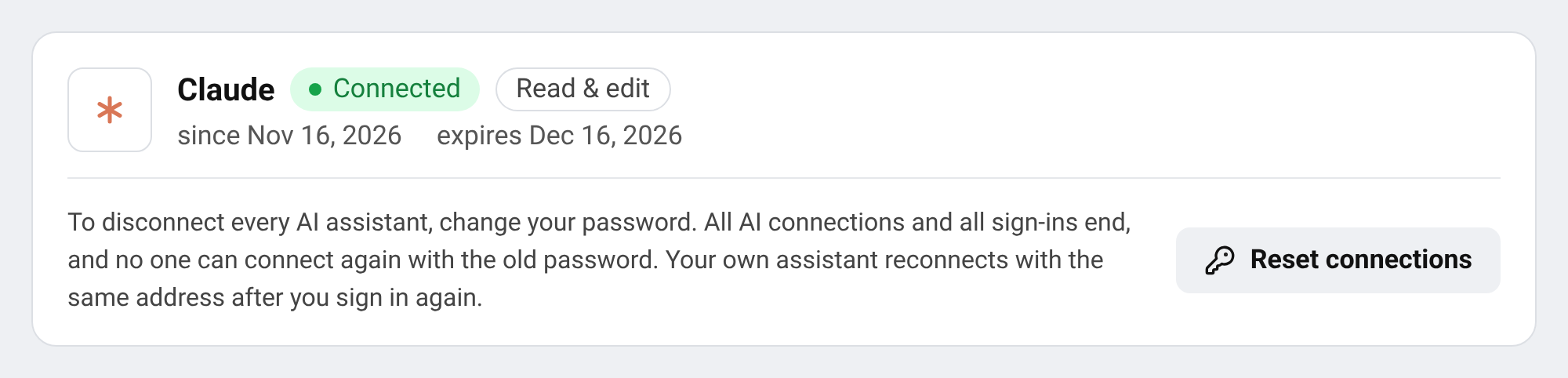
Disconnect every assistant
Cambia la password
Vai a SettingsAccount and change your password. See Aggiorna profilo e password.
What happens
Every AI connection and every sign-in ends. Your own assistant can reconnect with the same address after you log in again.
Importante Got a connection email you don’t recognise? Change your password right away, then contact support.
Domande
L’assistente può cambiare i miei prezzi?
No. It never sends prices to your store and cannot change pricing rules. It can preview what your rules would do without saving or applying anything.
Which assistants work with BlackAha?
Claude, ChatGPT, Gemini, Grok, Perplexity and Le Chat, plus any assistant that supports remote MCP servers with OAuth.
Why do I have to log in again?
To protect your workspace, an assistant can only be allowed right after you log in.
Guide correlate
Ancora bloccato?
Apri Assistenza nell’app e il nostro team ti risponderà lì. Puoi anche scrivere via email al nostro supporto; l’indirizzo è in fondo a ogni pagina.
 English
 ไทย
 Tiếng Việt
 한국어
 日本語
 简体中文
 Français
 Deutsch
 Русский
 Italiano
 Polski
 Español