
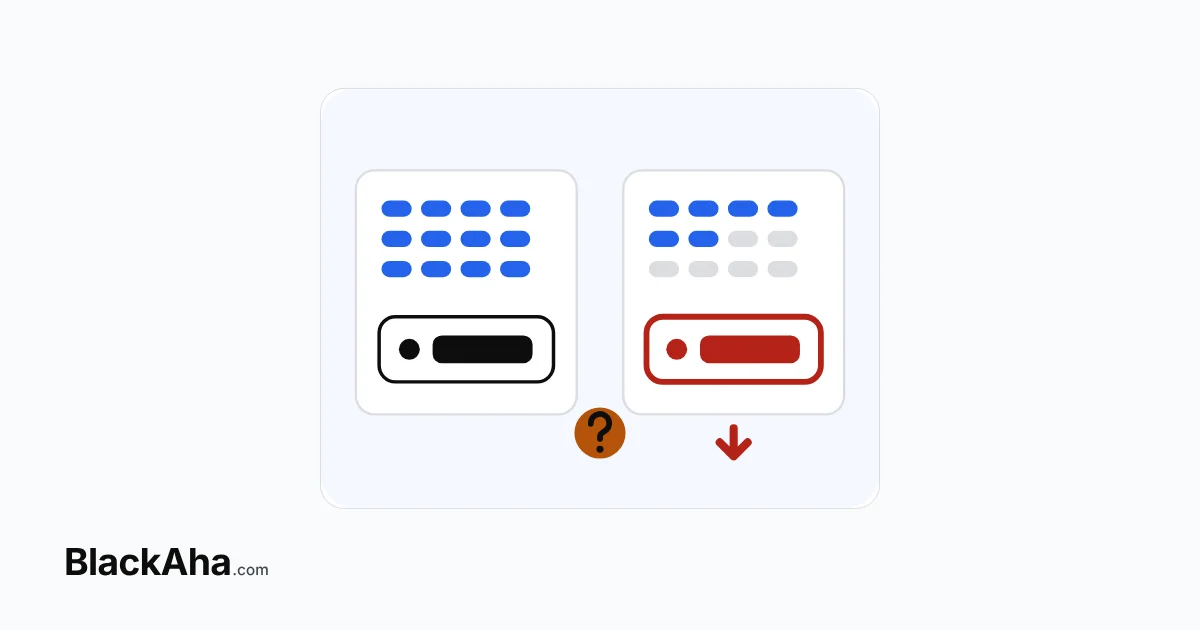
Competitor price data accuracy comes down to five checks. Is it the same product? The same variant or pack size? Is the price recent? Is the item in stock? Does the link still work? A price that fails any one of them is not a real rival price, and you can test all five yourself.
Here is a common case. A tool shows a rival selling your coffee capsules for less than you. You are ready to cut your price. Then you open the rival’s page and see the cheap price is for a smaller box. The rival was never cheaper.
This guide treats data quality as something you test, not something you take on trust.
Why does wrong price data cost you money?
Because you act on it. A false “cheaper rival” leads to a price cut you did not need. A missed rise keeps you cheaper than you have to be. Both cost margin, and neither looks like an error.
Automation makes this worse. A repricing rule acts on the bad number at once, on every product it covers.
What are the five failure points in competitor price data?
Most errors fall into five groups, in order from finding the page to reading its price.
1. Wrong product match
The tool links your product to a page that sells something similar but not the same, such as a newer model or a bundle. This is a product matching error, and every other check depends on getting it right.
Test it: open five matched pages. Compare the brand, model and product code with yours. One wrong match in five is a warning sign.
2. Wrong variant or pack size
The page is right, but the price belongs to another option on it. One page can sell several sizes, colours or pack sizes, each at its own price. A tool that reads only the first price on the page will often pick the wrong one.
Take the capsule case with simple numbers, for example in USD:
| Your store | Rival (as shown in the tool) | Rival (same pack size) | |
|---|---|---|---|
| Pack | 20 capsules | 10 capsules | 20 capsules |
| Price | $9.80 | $6.30 | $11.90 |
| Price per capsule | $0.49 | $0.63 | $0.595 |
The tool says the rival is $3.50 cheaper. In fact, the rival’s 20-pack costs $2.10 more than yours. If you had matched $6.30, you would have given away $3.50 on every pack for nothing.
Test it: pick products that come in several sizes or colours. Check that the tool tracks each one apart, with its own price history.
3. Stale price
The rival changed its price, but the tool still shows the old one. The number looks fine, so this error is easy to miss. How fresh the data must be depends on how fast your category moves. Our guide on how often rival prices need checking covers that choice.
Test it: look for the time of the last check next to each price. If the tool does not show it, you cannot tell old data from new.
4. Stock status
A sold-out rival cannot win a sale, whatever its price. Yet some tools keep its last price in the market average. The market then looks cheaper than the prices buyers can actually pay.
Test it: find a rival page that is sold out. Check that the tool marks it, and that it is left out of the market figures.
5. Broken or moved link
Stores remove pages and send old addresses elsewhere. A redirect can lead to a category page, where the tool may read a random price. A dead page simply stops giving prices.
Test it: ask how the tool shows pages that no longer open or that have moved. You want a clear list, not silent gaps.
How do you test competitor price data accuracy before you buy?
Use your own products, not the demo data. Pick ten products, including a few with sizes or pack options. Then run this quick pass on each one:
- Open the rival page. Is it the same product?
- Is the price for the same size, colour or pack?
- Does the price match what the page shows now?
- Does the stock status match the page?
- Did the page open, or was it moved or gone?
Write down every miss. A few misses are normal, as store pages are all built differently. What matters is whether the tool shows you the problem, and how fast it gets fixed. For a fuller method, see our guide to spot-checking matched rival pages.
Which warning signs point to which problem?
Use this table when a price looks too good, or too bad, to be true.
| What you see | Likely failure point | What to check |
|---|---|---|
| A rival is much cheaper overnight | Wrong variant or pack size | The size, pack or option behind that price |
| A price has not moved in weeks | Stale price | The time of the last check |
| The market average drops suddenly | Stock status | Whether low-priced rivals are sold out |
| A rival price makes no sense for the product | Wrong match or moved link | Whether the page is the same product, or now a category page |
| A rival stops showing any price | Broken link | Whether the page still exists |
How BlackAha helps
BlackAha.com tracks competitor prices for online stores and is built to make each of these checks visible.
- Match: Competitor Discovery lists rival pages for your review, and you track the ones you choose.
- Variant: Product Variant Detection finds sizes, colours and other options on a page. Each variant you track keeps its own price history.
- Freshness: each link shows its latest price and its last check, and Price Change Alerts tell you when a rival moves.
- Stock: stock status is read on every check. Sold-out rivals are left out of the market average and the price index.
- Links: broken and redirected links are collected in one place. When you switch a moved link to its new address, the price history continues without a gap.
When a price still looks wrong, you can report the link from the app. The BlackAha team checks it and fixes how that page is read.
Key takeaways
- A rival price is only real if it passes five checks: match, variant, freshness, stock and link.
- Pack size and variant errors create the most convincing fake undercuts.
- Sold-out rivals should not count in the market average.
- Test any tool on ten of your own products before you trust it, and before you automate.
Frequently asked questions
What is the most common error in competitor price data?
Reading the wrong variant or pack size on a correct page. The product looks right, so the error is easy to miss. Check that the tool tracks each size or option apart.
Can any price tracking tool be 100% accurate?
No. Store pages are all built differently and change often, so some errors will happen. A trustworthy tool shows you its last check, flags broken links and lets you report a wrong price.
Should out-of-stock rivals count in my price comparison?
Not in the market average. A shopper cannot buy from them today. BlackAha keeps their last price in the history but leaves them out of the market figures until they are back in stock.
How many products should I check to judge data quality?
About ten is enough for a first test. Include a few products with sizes or pack options, as these show variant errors fastest.
Run the five checks on ten of your own products. You can try BlackAha and see each check for yourself.
 English
 ไทย
 Tiếng Việt
 한국어
 日本語
 简体中文
 Français
 Deutsch
 Русский
 Italiano
 Polski
 Español